
Ib daim ntawv qhia rau koj lub qhov rooj
Hom phab ntsa hloov ib lub iPad, iPhone los yog Mac uas koj tsis siv lawm ua ib daim ntawv qhia tsheb npav uas qhib tas li rau txoj kev hauv tsev. Lub tsheb npav tom ntej puv tag qhov siab ntawm lub vijtsam ib sab ntawm daim ntawv qhia kev, loj txaus nyeem tau ntawm lwm sab tsev. Ntsia ib muag thaum koj hnav khau, thiab tawm mus thaum lub tsheb npav los.
Vim li cas kuv thiaj ua: ib lub iPhone qub ntawm peb phab ntsa chav ua mov (ua lus Askiv) ›
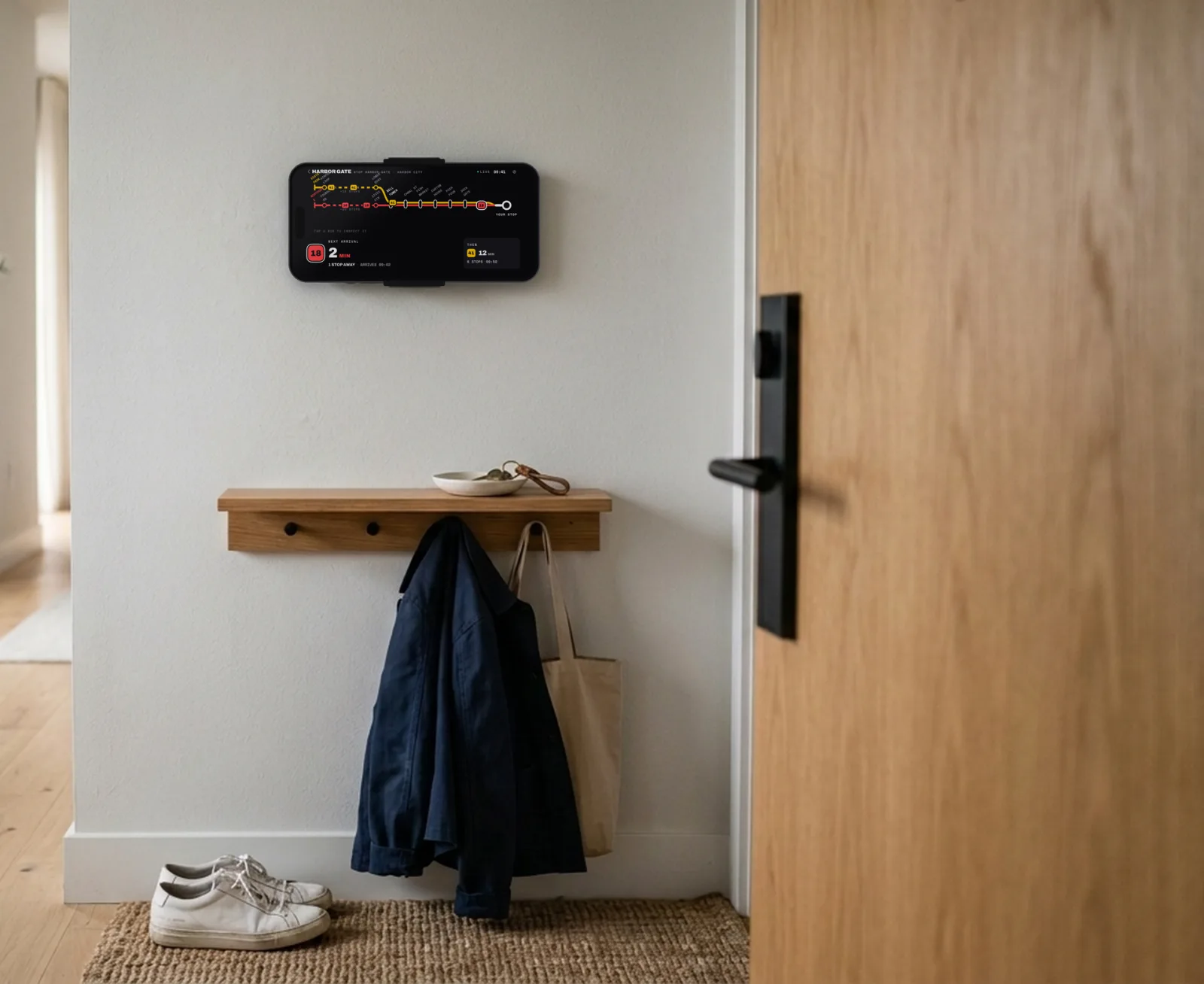
Qhib tas li, tsaus tas li
Daim ntawv qhia ua kom lub vijtsam qhib tas li thiab tsaus zog thaum hmo ntuj, kom nws tsis ci tag chav.
Qhib thaum koj xav tau
Xaiv cov hnub thiab cov sijhawm, xws li tsuas yog thaum sawv ntxov hnub ua haujlwm xwb.
Saib xyuas lub vijtsam
Txhua ob peb feeb nws txav ob peb pixel kom tiv thaiv lub vijtsam.
Rov zoo nws tus kheej
Thaum internet tu, nws khaws daim ntawv qhia kawg, rov kuaj dua, thiab rov qab los yam tsis tas kov.
Teeb ib zaug xwb
Tsis tas muaj account thiab tsis muaj dab tsi yuav teeb. Lub app nrhiav koj thaj chaw los ntawm koj qhov chaw nyob.
-
 1
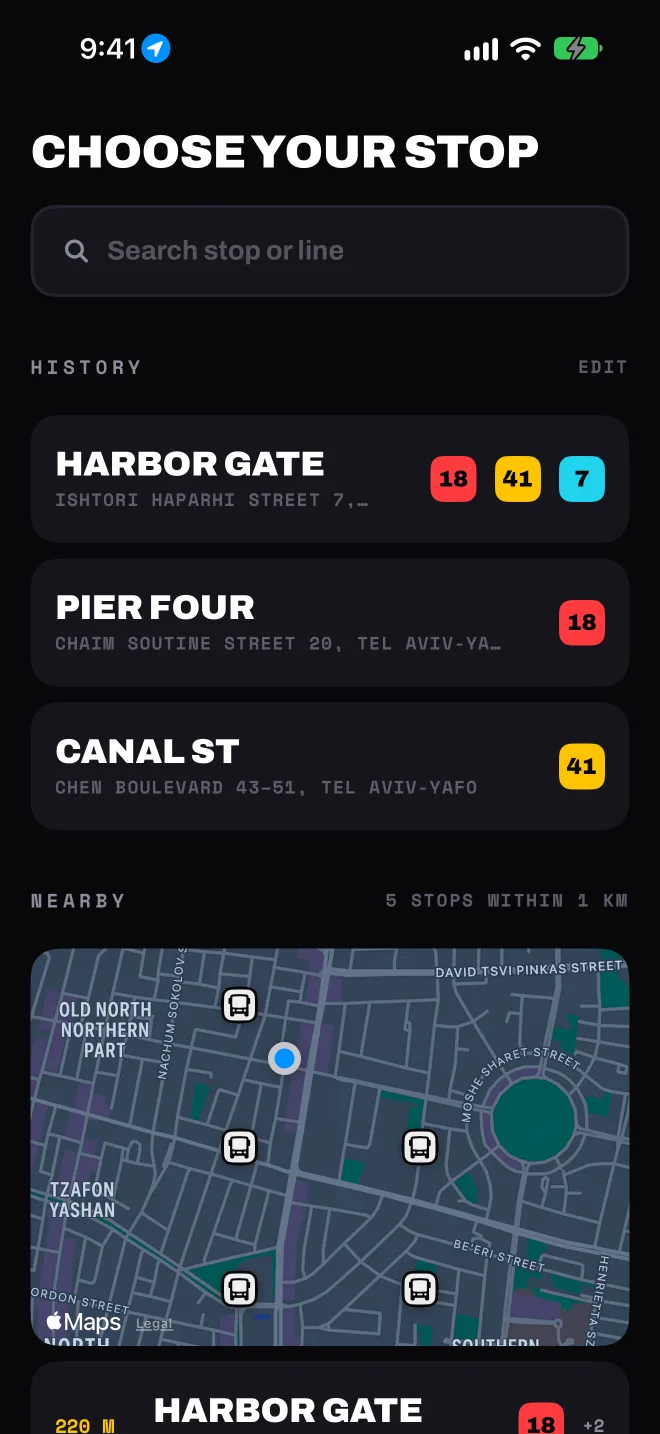
1Xaiv koj qhov chaw nres
Cov chaw nres nyob ze tshwm ua ntej. Koj kuj nrhiav tau raws lub npe, tus lej chaw nres, txoj kev los yog kab tsheb, los yog txav daim ntawv qhia chaw thiab nrhiav hauv thaj ntawd.
-
 2
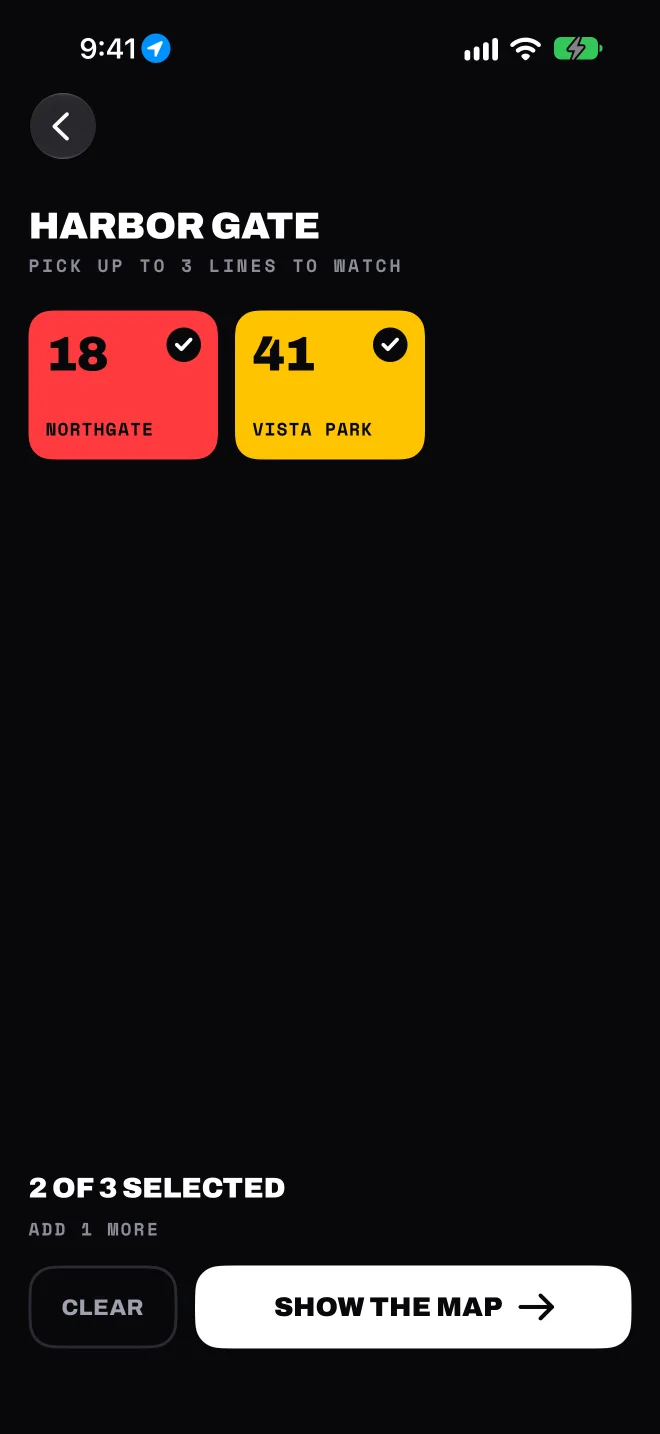
2Xaiv txog li peb kab tsheb
Txhua kab tsheb muaj nws txoj kev ntawm daim ntawv qhia, yog li lub tsheb uas koj tos yeej tsis ploj hauv ib daim ntawv teev npe.
-
 3
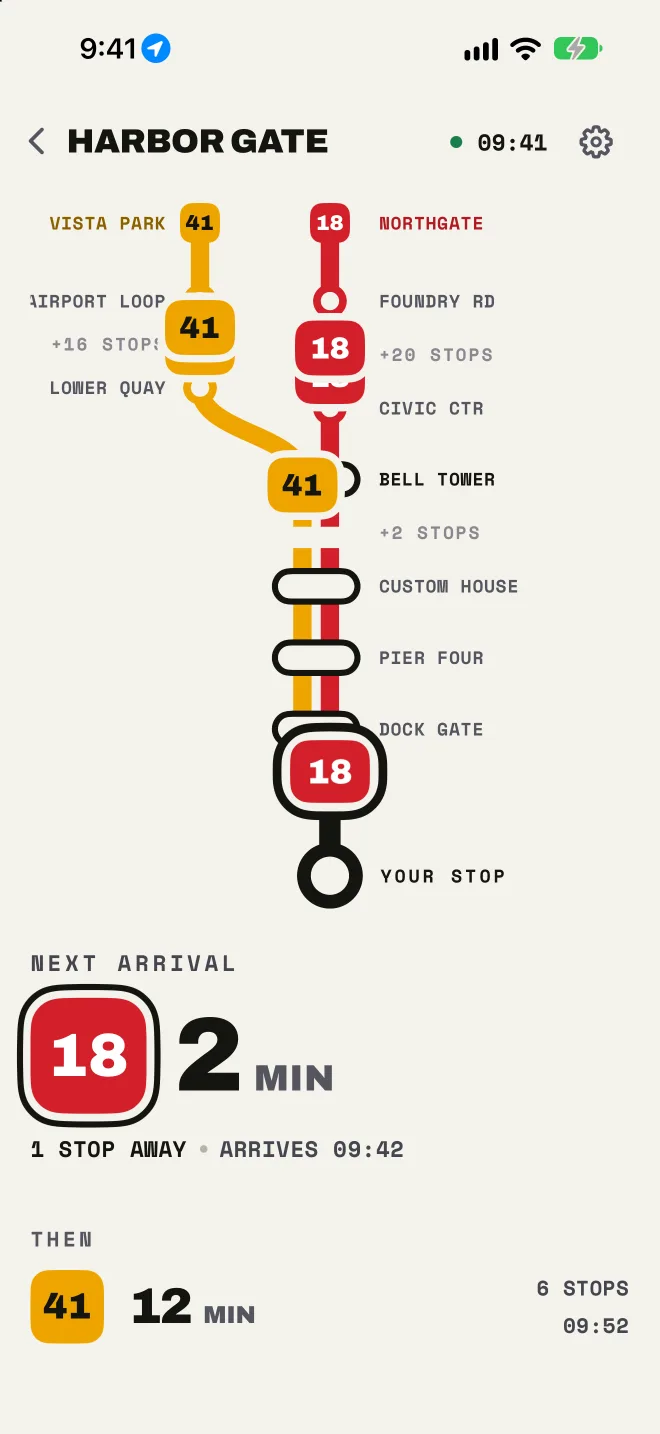
3Saib cov tsheb npav tuaj
Lub tsheb npav tom ntej, nws tseem tshuav pes tsawg qhov chaw nres, thiab lub tom qab ntawd. Kov ib lub tsheb npav twg ntawm txoj kev los saib seb thaum twg nws tuaj txog koj.
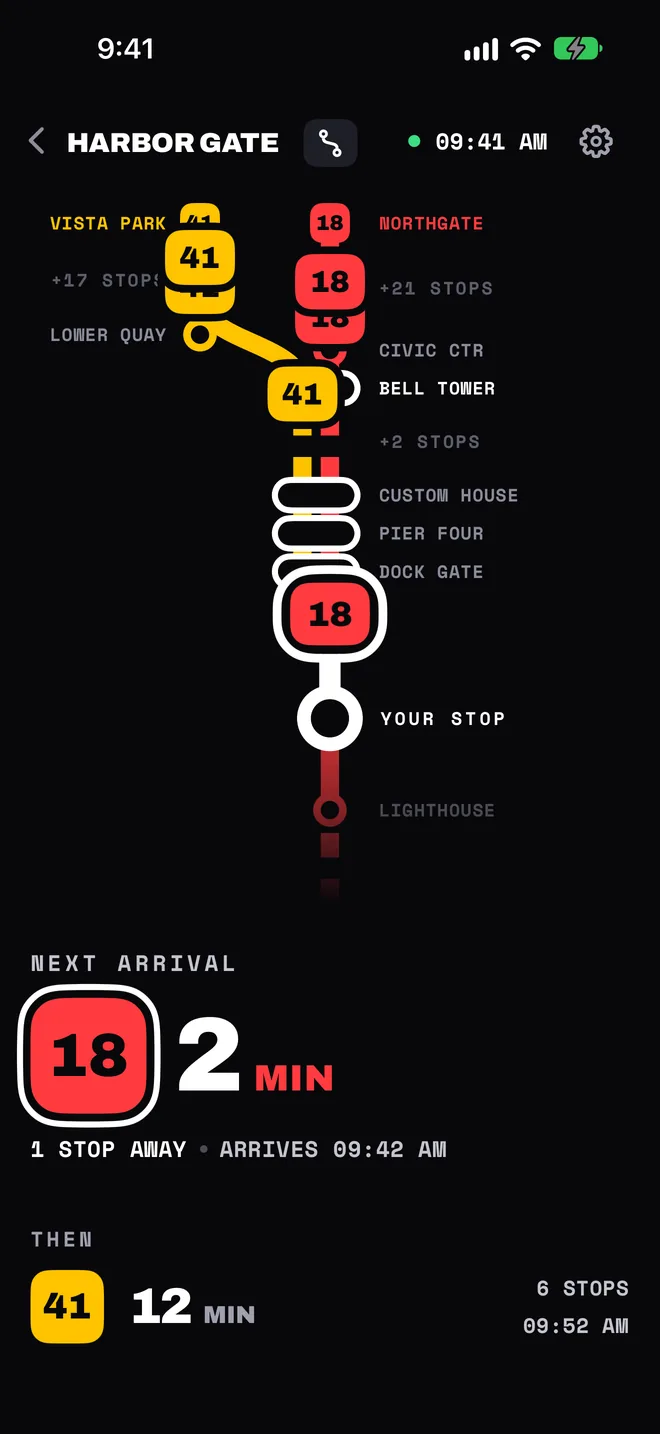
Tsev, chaw ua haujlwm thiab tsev kawm ntawv nyob hauv Kuv cov chaw nres, ib zaug kov xwb. Pin cov koj siv ntau tshaj, thiab swipe tshem cov koj tsis siv.
Saib tag kab tsheb
Daim ntawv qhia muab cov kawg deb ntawm koj cov kab tsheb quav cia. Qhib tag kab tsheb kom pom tag nrho.
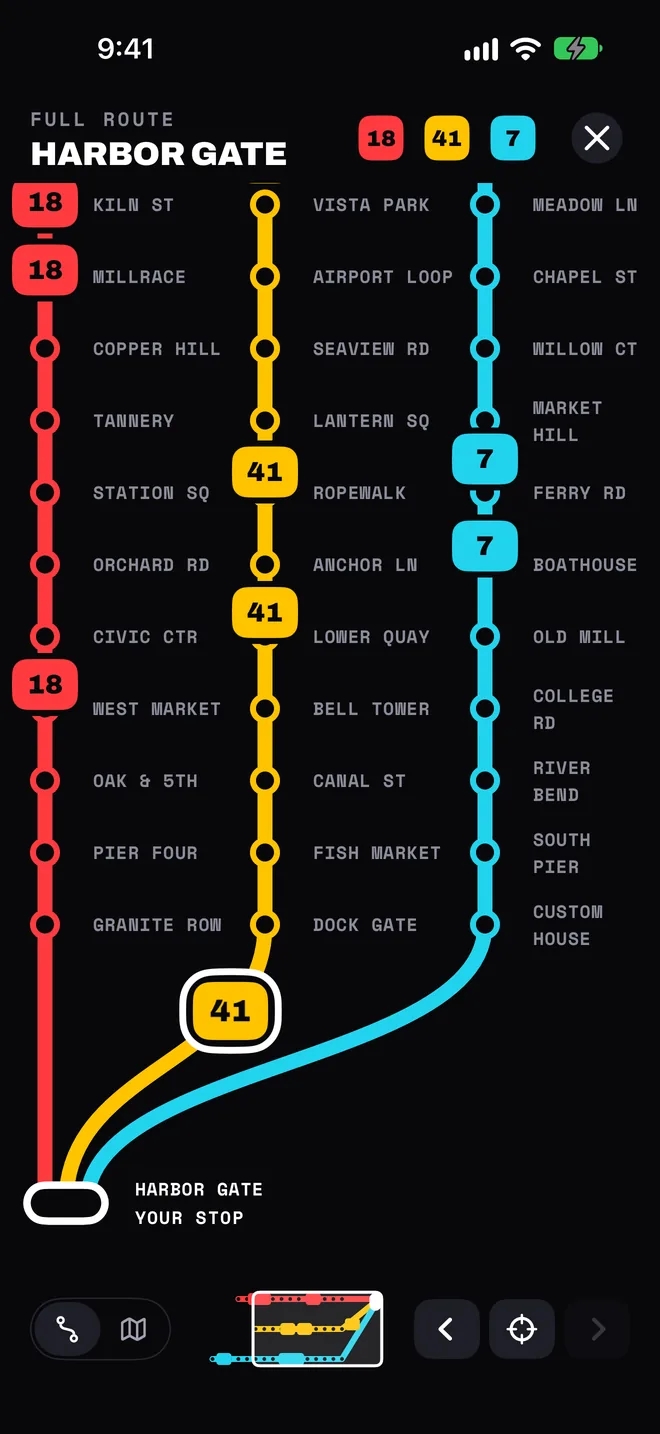
Txhua qhov chaw nres, txij thawj mus txog kawg
Txhua kab tsheb txij nws qhov chaw nres thawj mus txog koj qhov, nrog txhua lub tsheb npav nyob qhov chaw nws nyob tam sim no. Kov ib qhov chaw nres los saib seb dab tsi tab tom tuaj rau ntawd.
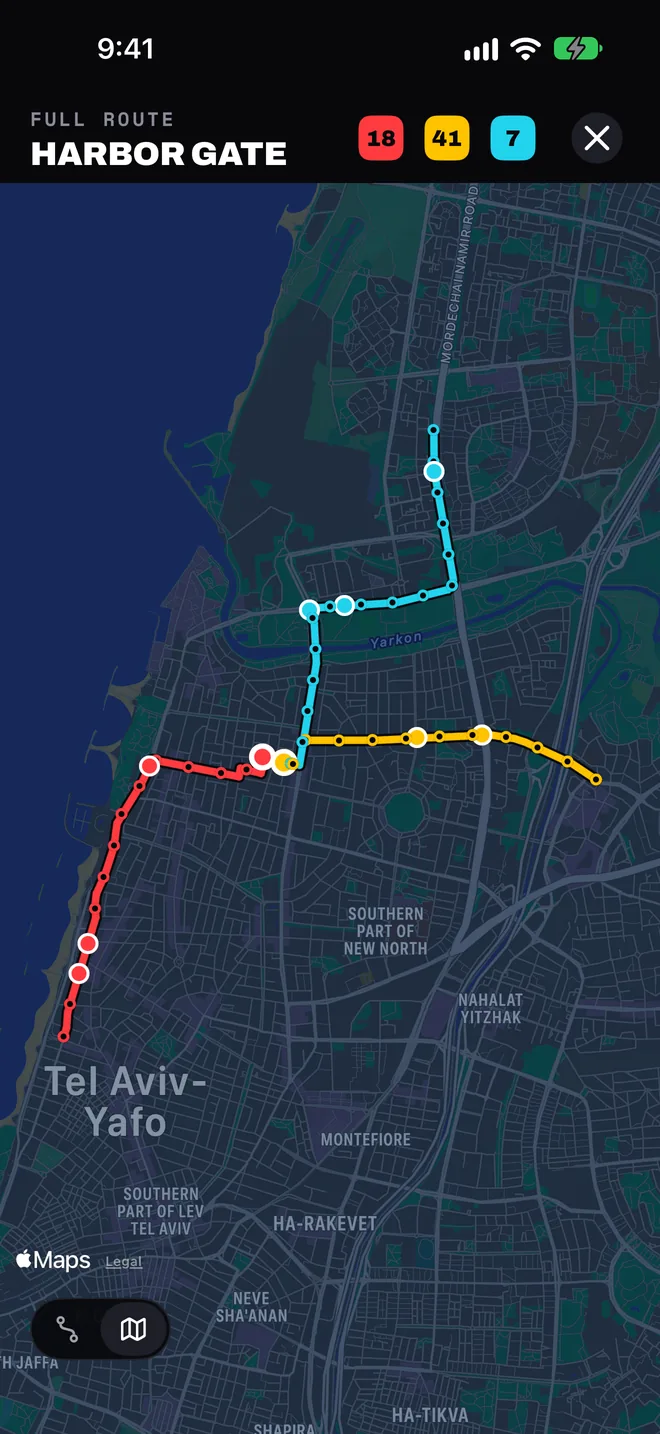
Ntawm daim ntawv qhia chaw tiag
Hloov tag kab tsheb mus rau daim ntawv qhia chaw, thiab koj cov kab tsheb yuav khiav raws txoj kev uas lawv khiav tiag tiag.
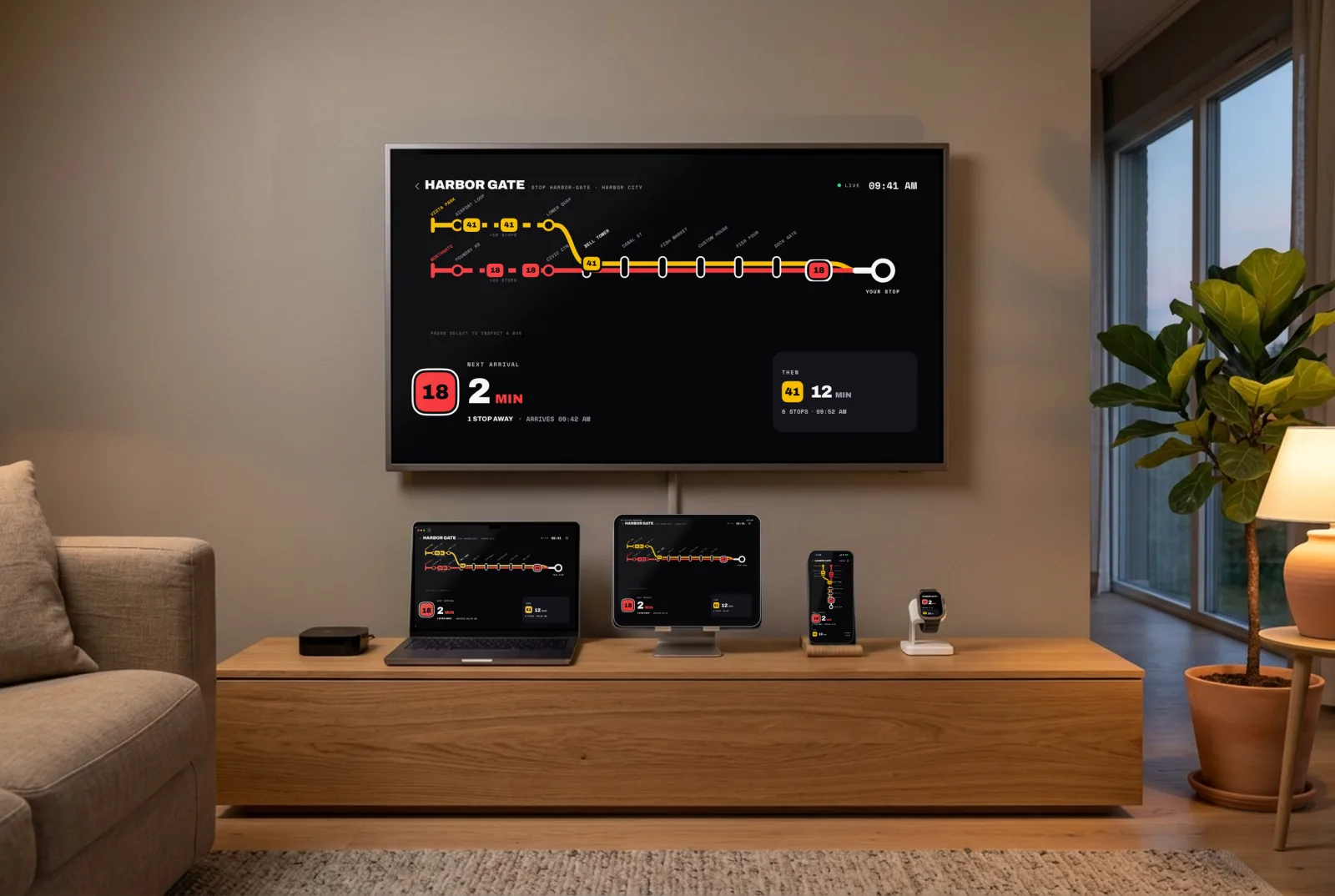
Ntawm txhua lub vijtsam hauv tsev
iPhone, iPad, Mac, Apple Watch thiab Apple TV. Khaws ib qhov chaw nres ib zaug xwb ces nws muaj rau txhua lub: koj cov chaw nres sync los ntawm iCloud, thiab Apple Watch ua raws koj lub iPhone.
Siv tau qhov twg
Lub sijhawm tsheb tuaj los ncaj qha ntawm cov ntaub ntawv qhib uas txhua lub koom haum tsheb npav tshaj tawm. Qhov twg lub koom haum qhia qhov chaw ntawm cov tsheb npav thiab, koj pom cov tsheb npav txav raws txoj kev.
Middle East
Europe
- Norway
- Switzerland (tsuas yog lub sijhawm tuaj xwb)
- London (tsuas yog lub sijhawm tuaj xwb)
- Vienna (tsuas yog lub sijhawm tuaj xwb)
- Linz (tsuas yog lub sijhawm tuaj xwb)
- Rennes
- Thaj tsam Lisbon
- Turku
- Tampere
- Tallinn
- Vilnius
- Kaunas
- Poznań
- Gdańsk
- Kraków
- Brussels
- Luxembourg (tsuas yog lub sijhawm tuaj xwb)
- Berlin thiab Brandenburg (tsuas yog lub sijhawm tuaj xwb)
- Nuremberg (tsuas yog lub sijhawm tuaj xwb)
- Ljubljana (tsuas yog lub sijhawm tuaj xwb)
- Bizkaia
Tsuas yog lub sijhawm tuaj xwb, tsis muaj qhov chaw tsheb npav ncaj qha. Hauv Hong Kong, MTR Bus muaj.
Cov ntaub ntawv sijhawm teev rau Berlin thiab Brandenburg: VBB Verkehrsverbund Berlin-Brandenburg GmbH.
Tseem tsis tau muaj nyob hauv daim ntawv qhia chaw? Xa lus tawm tswv yim los ntawm lub app thiab qhia peb paub tias koj caij tsheb qhov twg.
Tsis tas sau npe
Tsis tas muaj account
Koj cov chaw nres thiab chaw teeb tsa khaws rau hauv koj cov cuab yeej thiab hauv koj tus kheej iCloud.
Qhov chaw nyob tsuas yog thaum qhib xwb
Siv los xaiv koj thaj chaw thiab nrhiav cov chaw nres nyob ze koj, thiab yeej tsis khaws cia. Koj nrhiav tau txhua lub sijhawm hloov.
Tsis taug qab
Cov ntawv qhia crash thiab cov lej siv pab nrhiav bug. Lawv tsis txuas rau koj lub npe los yog siv rau kev tshaj tawm.
Nyeem txoj cai tswj hwm ntiag tug kom paub meej tias xa dab tsi, thiab xa rau leej twg.
Cov lus nug
Kuv Chaw Nres Tsheb puas pub dawb?
Yog. Nws dawb ntawm iPhone, iPad, Mac, Apple Watch thiab Apple TV, tsis muaj kev tshaj tawm, tsis muaj subscription thiab tsis tas muaj account. Ntawm lub computer uas tsis muaj lub app, koj kuj qhib tau hauv web.
Puas muaj widget?
Muaj. Muab cov tsheb npav tom ntej ntawm ib qho twg hauv Kuv cov chaw nres tso rau Home Screen, Lock Screen, StandBy los yog Mac desktop, los yog ua complication ntawm Apple Watch. Ntawm Apple TV, Top Shelf qhia lawv yam tsis tas qhib lub app.
NCAJ QHA thiab RAWS SIJHAWM TEEV txawv li cas?
NCAJ QHA txhais tias lub sijhawm los ntawm qhov chaw tiag ntawm lub tsheb npav thiab lub koom haum kev kwv yees ncaj qha. RAWS SIJHAWM TEEV txhais tias tseem tsis tau muaj ntaub ntawv ncaj qha rau lub tsheb ntawd, yog li daim ntawv qhia qhia lub sijhawm teev. Yog cov ntaub ntawv tsis xa tuaj lawm, daim ntawv qhia cim nws cov lej tias qub lawm thiab qhia koj tias cov ntaub ntawv kawg tuaj thaum twg.
Vim li cas kuv tsis pom cov tsheb npav txav ntawm daim ntawv qhia chaw?
Qee lub koom haum tshaj tawm lub sijhawm tuaj tab sis tsis qhia qhov chaw ntawm cov tsheb npav, yog li daim ntawv qhia tsuas qhia cov feeb xwb yam tsis muaj tsheb npav ntawm txoj kev. Lwm qhov, nws yuav txhais tias tam sim no tsis muaj tsheb npav tab tom tuaj, los yog lub tom ntej tseem tsis tau pib xa nws qhov chaw.
Qhov no puas yog lub app raug cai ntawm lub tuam txhab tsheb npav?
Tsis yog. Kuv Chaw Nres Tsheb yog ib lub app ywj pheej. Tsis muaj lub koom haum tsheb npav los yog tuam txhab twg ua los yog lees paub nws; nws qhia cov ntaub ntawv pej xeem uas lawv tshaj tawm, thiab qhia lub hauv paus nyob hauv qab kawg ntawm Chaw teeb tsa.
Kuv puas siv tau ua kuv hom lus?
Lub app ua raws hom lus ntawm koj lub cuab yeej, thiab koj xaiv tau lwm hom lus rau lub app no nkaus xwb, suav nrog kev teeb sab xis mus sab laug rau lus Henplais thiab lus Arab. Widget, Apple Watch thiab Apple TV ua raws li koj xaiv.
Puas muaj xim kaj?
Muaj: Raws lub cuab yeej, Kaj thiab Tsaus. Hauv hom phab ntsa, daim ntawv qhia yeej tsaus tas li.
Yuav ua li cas thaum lub koom haum cov ntaub ntawv puas?
Es tsis txhob qhia koj lub sijhawm tsis raug, cov ntaub ntawv ncaj qha rau thaj chaw ntawd raug nres ib ntus mus txog thaum cov ntaub ntawv rov zoo. Daim ntawv qhia rov qab los nws tus kheej.